WCAG in Practice: An Accessibility Ecosystem for Developers
An accessibility ecosystem for developers — built by a CPACC Certified Technical Project Manager. Three free tools that work together: an interactive learning platform with 27 UI patterns, wcag-kit (an MCP server that brings WCAG knowledge into AI editors like Cursor and Claude), and WCAG Lens (a VS Code extension with real-time diagnostics as you type). Built to bridge the gap between WCAG compliance guidelines and real-world product implementation.
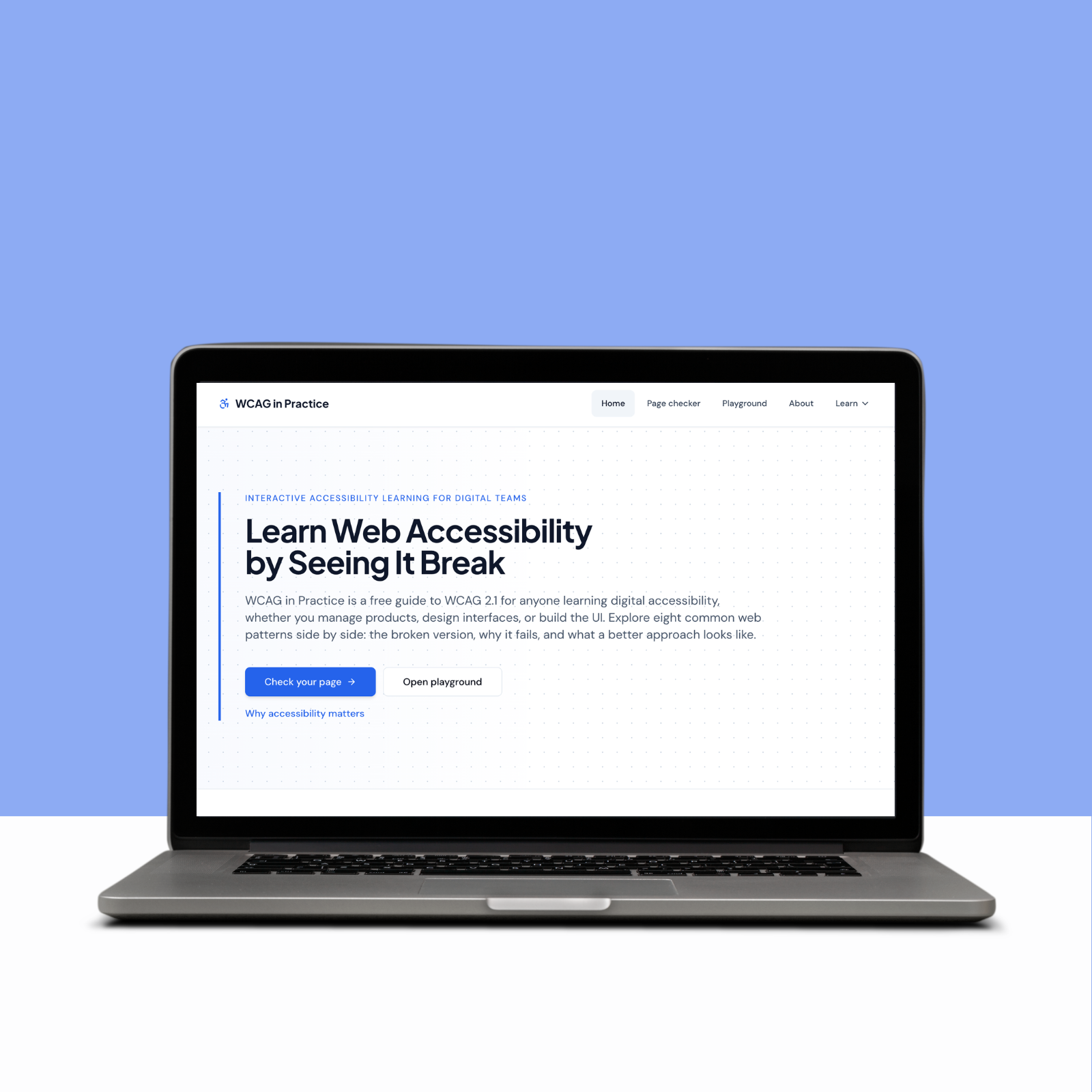
Navigating the Accessibility Implementation Gap
In the modern digital landscape, building inclusive products is critical, yet many cross-functional teams fail to meet basic compliance benchmarks because of three primary system barriers:
Theoretical Documentation Overload
Standard compliance documentation, such as the official WCAG framework guidelines, is highly descriptive but fundamentally dry and academic, making it difficult for creators to visualize practical engineering applications.
The "What Now" Reporting Barrier
Traditional automated compliance checkers are excellent at identifying site violations, but they output confusing error codes and abstract machine strings that leave developers and designers completely stranded regarding the exact code fixes required.
The Engineering Silo
Accessibility is frequently treated as a downstream engineering bug to be patched right before a product launch, rather than a shared design lifecycle priority that product managers, designers, and developers understand collectively.
Product Strategy: Architecting the Solution
To solve these multi-layered execution barriers, I acted as the Product Owner and Technical Project Manager to define a high-performance, education-first architecture. The strategy focused on reducing implementation friction through three clear objectives:
Side-by-Side Contextualization: A split-screen layout displays real-time interactive comparisons of broken UI patterns next to their accessible counterparts across 27 component sandboxes – from dropdown menus and modals to drag and drop, carousels, and ARIA live regions.
Developer Tool Integration: wcag-kit brings the platform’s pattern knowledge directly into AI editors via the Model Context Protocol. Developers ask natural language questions and get WCAG references and code fixes without leaving their editor. WCAG Lens brings the same knowledge into the editor itself – flagging violations as red underlines on every save.
Eliminating UX Onboarding Friction: No authentication, no paywalls, no setup. All 27 playground sandboxes, the page checker, wcag-kit on npm, and WCAG Lens on the VS Code Marketplace are free and immediately accessible.
My Approach: CPACC-Driven Agile Product Delivery
Leveraging my technical project management background and CPACC expertise, I orchestrated an accelerated development timeline to deliver a production-ready application for Toronto Tech Week. I executed the product scope using a highly modular micro-sprint strategy:
27 Interactive UI Patterns: Shipped pattern sandboxes covering modal dialogs, dropdown menus, form validation, data tables, carousels, drag and drop, focus management, ARIA live regions, and more – each with broken and accessible side-by-side comparisons and copy-ready code.
wcag-kit MCP Server: Published a free open-source MCP server on npm with 27 patterns, 4 tools, and 17 check rules. Developers ask natural language questions in Cursor or Claude and receive WCAG references, broken examples, and accessible fixes. Socket.dev security score: 100/100.
WCAG Lens VS Code Extension: Published a free VS Code and Cursor extension on the VS Code Marketplace with 25 WCAG rules covering images, forms, links, ARIA misuse, and keyboard patterns. Real-time red underlines, hover messages with rule numbers and plain-English fixes, and 6 one-click quick fix actions.
CREDIBILITY & POSITIONING STATEMENT
WCAG in Practice is explicitly built as an interactive educational resource and foundational reference toolkit for digital product teams. It serves as a powerful utility to prevent common implementation mistakes, but it is not a structural replacement for comprehensive professional accessibility audits or live usability testing sessions conducted with individuals with disabilities.
- Claude (Ideation, PRD Creation, & Pair Programming)
- Cursor (Primary Development & AI Orchestration)
- React, Vite, TypeScript, Tailwind CSS (Primary Frameworks)
- Radix UI, Shadcn UI (Component Primitives)
- VS Code Extension API, vsce (WCAG Lens)
- @modelcontextprotocol/sdk, zod (wcag-kit)
- WAVE API, Axe DevTools (Auditing Infrastructure)
- Netlify, Netlify Functions, Git/GitHub (Deployment System)
- Agile Sprint Methodology, PMP Project Controls (Management Framework)
27 Patterns
Translated a complex product requirements document into a fully functional learning platform within an accelerated three week development sprint for Toronto Tech Week.
MCP Server Live
wcag-kit published on npm - bringing 27 patterns and 17 check rules into Cursor and Claude via natural language.
VS Code Extension Live
Interactive broken vs fixed sandboxes covering WCAG 2.1 and 2.2 AA criteria across forms, navigation, modals, tables, ARIA, and more.
The Spotlight Feature: The Plain-Language Automated Page Checker
The Problem
Standard web audit checkers generate abstract, compliance-heavy metrics and numeric codes that offer little guidance to non-engineering stakeholders, creating a major barrier for product managers and designers trying to prioritize remediation tasks.
The Execution
I implemented an automated Page Checker powered by a serverless fetch routine that securely queries the WebAIM engine and handles the incoming payload via a custom translation dictionary. This layer catches raw compliance error strings and instantly processes them into plain-English definitions accompanied by explicit, step-by-step correction instructions.
The Win
Users can paste any public URL to view an immediate accessibility profile. Instead of leaving users with a list of abstract errors, every single diagnostic finding automatically links to an interactive playground sandbox on our site, demonstrating the exact design configuration and copy-ready code needed to deploy a permanent fix.
The Spotlight Feature: The Developer Tool - wcag-kit MCP Server
The Problem
Developers using AI editors like Cursor and Claude have no reliable way to ask accessibility questions and get accurate, pattern-specific answers. General AI knowledge about WCAG is inconsistent and often outdated.
The Execution
I built and published wcag-kit - a free Model Context Protocol server that gives AI editors deep WCAG knowledge. It exposes four tools: list_patterns, get_pattern, check_component, and suggest_fix. Developers ask natural language questions and the AI calls the right tool automatically. No tool names needed, no WCAG expertise required.
The Win
wcag-kit is live on npm and connects to Cursor via a single JSON config entry. It covers 27 patterns and 17 check rules matching everything taught on wcaginpractice.com. Socket.dev security score: 100/100.
The Spotlight Feature: The Editor Extension - WCAG Lens for VS Code
The Problem
Developers catch accessibility violations too late — during audits, after launch, or not at all. Existing linters either have too many false positives or require manual configuration.
The Execution
I built and published WCAG Lens — a free VS Code and Cursor extension that watches HTML, JSX, and TSX files as you type. It runs 25 WCAG rules on every save and flags violations as red underlines. Hovering shows the WCAG rule number, a plain English explanation of who is affected, and a specific fix. Six rules support one-click quick fix actions via Cmd+. that apply the correct pattern automatically.
The Win
WCAG Lens is live on the VS Code Marketplace. It achieved 8 installs and a 66% conversion rate on day one. TSX and JSX scanning filters out false positives from comments and string assignments, flagging only real markup violations.